Party game apps turn your smartphone into a fun tool for group activities, perfect for keeping events lively. These apps offer multiplayer games that guests can easily join using their phones. Whether you’re hosting a small gathering or a large party, these apps provide quick entertainment during breaks or downtime.
Key Takeaways:
- Why Use Them? They encourage interaction, laughter, and competition, replacing passive scrolling with engaging group fun.
- How to Prepare: Test apps in advance, ensure compatibility with devices, and check Wi-Fi or offline functionality.
- Top Picks: CrowdParty (custom games), Heads Up (guessing game), and Jackbox Games (large group options).
- Pro Tip: Combine app-based games with physical activities like inflatables for a balanced experience.
Getting Ready to Use Party Game Apps
Know Your Audience and Event Requirements
Start by considering the size of your group. Some apps are perfect for smaller gatherings of 4 people, while others can accommodate 15 or more players. It’s also important to match the app’s vibe with the tone of your event. For instance, family-friendly games work well for casual get-togethers, while more competitive or edgy options might suit a college party, or you could even incorporate bounce houses into adult events for a high-energy alternative.
Think about the mix of your guests, too. For events with a wide age range, steer clear of apps that include overly revealing or mature content. Tools like Event Planner can help you assess guest details, such as age and RSVPs, to pick games that everyone will enjoy. Additionally, check if the app has specific hardware requirements, like the need for smartphone cameras, accelerometers, or even a TV for display.
Once you’ve picked the right apps, it’s time to test them thoroughly.
Download and Test Apps Before the Event
Make sure to install the apps a few days in advance. This gives you time to confirm they work on both iOS and Android devices during your playtesting. Try them out with a small group to identify any confusing features or bugs before the big day.
"Before implementing a design game with a bigger group, it is crucial to playtest it within your team to determine what aspects are and is not enjoyable." – Zumana Haseen
Don’t forget to check for app updates before your event – no one wants to deal with forced downloads mid-party. Also, plan ahead for potential device battery issues during gameplay.
Once you’re confident the app works well, focus on connectivity needs and offline capabilities.
Check Wi-Fi Strength or Use Offline Apps
Event venues often come with unreliable Wi-Fi, so it’s smart to test the apps at the venue beforehand. Also, try running the apps with Wi-Fi turned off to ensure they function offline.
Some apps are designed to work seamlessly without an internet connection. For example, Heads Up! uses your phone’s accelerometer, making it ideal for offline play, while Spaceteam connects locally for 2–8 players. Be aware, though, that some apps may require a connection for premium features or to load ads, even if they’re free.
"The worst thing that can happen is your app crashing when people are trying to buy tickets for a popular event." – Simon Lee, Glance
Taking these steps will help ensure your party games run smoothly and keep your guests entertained without any hiccups.
Recommended Party Game Apps
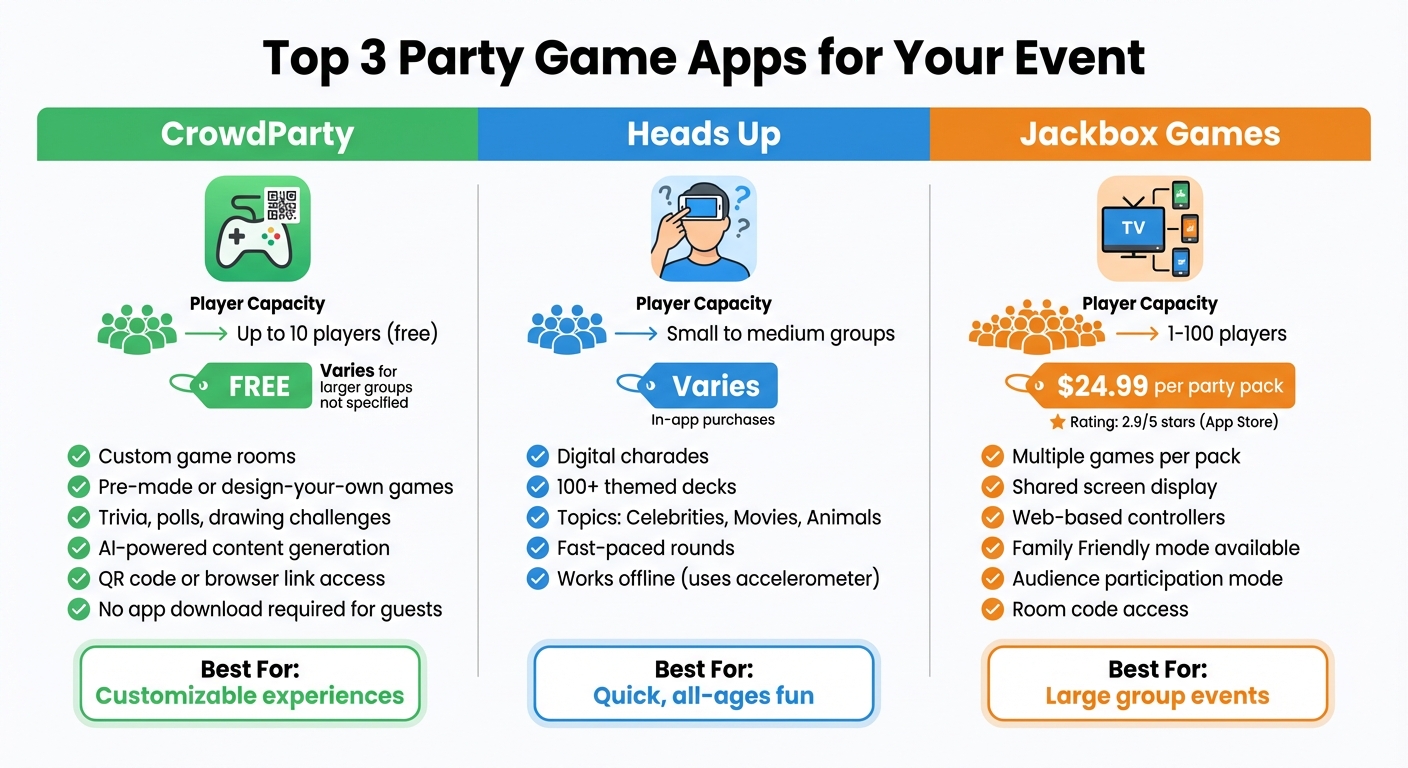
Top 3 Party Game Apps Comparison: Features, Players, and Pricing
With your preparations complete, dive into these highly-rated mobile game apps to add a spark of fun and excitement to your event.
CrowdParty: Custom Group Games
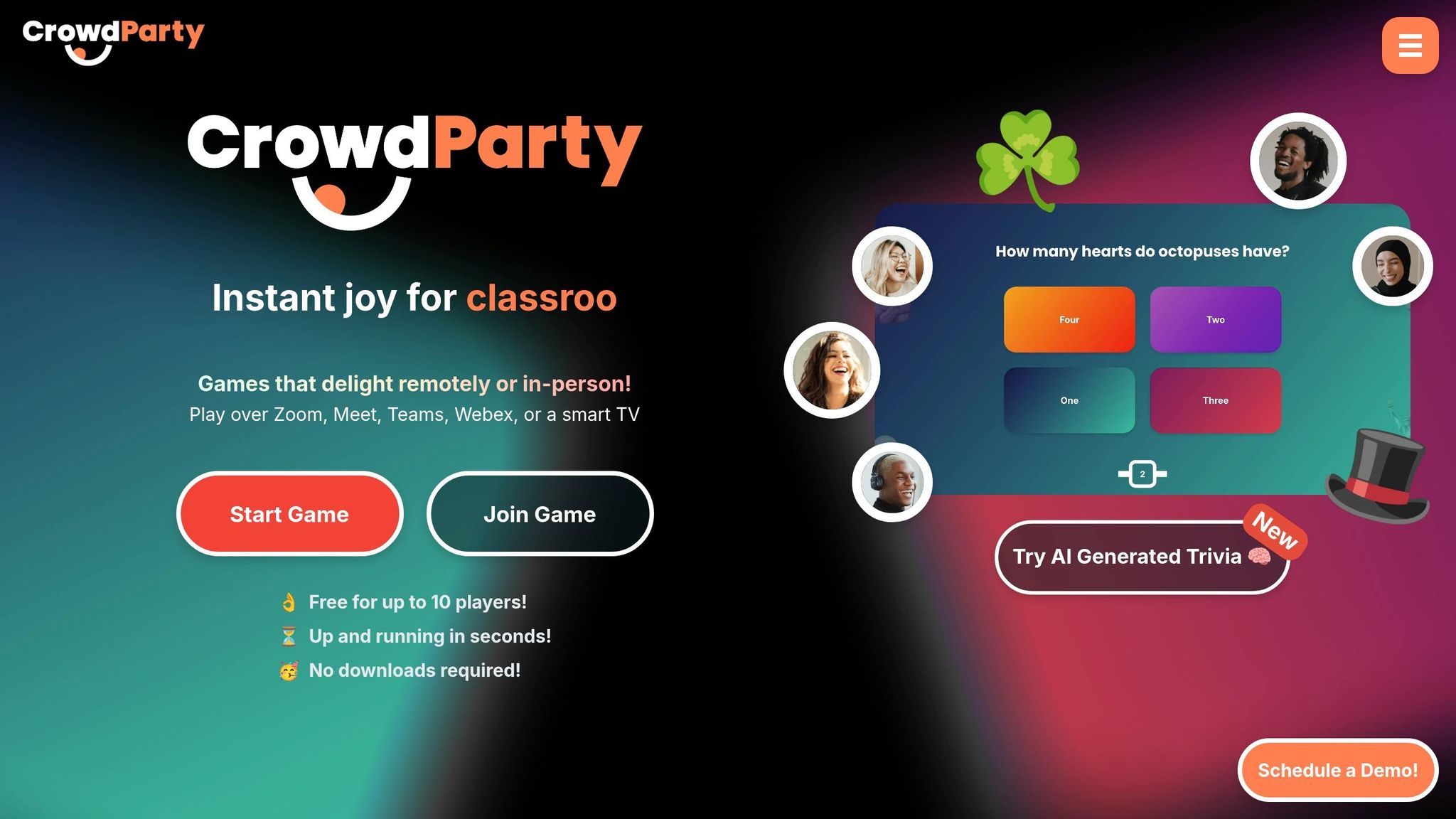
CrowdParty offers a flexible way to create custom game rooms that fit your event perfectly. You can either choose from pre-made options or design your own, featuring activities like trivia, polls, and drawing challenges. These digital activities pair well with inflatable games for team building to create a balanced event program. The app also includes AI-powered tools to generate themed content like "AI Trivia", "AI Would You Rather", and "AI Friendly Fire." If you’re looking for curated categories, it has plenty, including "Holiday Specials", "Movie Madness", "Sports Showdown", and "Embracing Diversity." Guests can join easily via QR code or a browser link – no app download required. Plus, it’s free for up to 10 players.
Heads Up: Simple Guessing Game

Heads Up is a great choice for quick, easy-to-learn gameplay that works for all ages. Essentially a digital version of charades, one player holds the device while others give verbal clues to help them guess the word or phrase on the screen. The app includes over 100 themed decks, covering topics like Celebrities, Movies, and Animals, so there’s something for everyone. With fast-paced rounds, it keeps the energy high and guests engaged throughout your event.
Jackbox Games: Multiplayer Games for Big Groups
If you’re hosting a larger group, Jackbox Games is a fantastic option with its wide range of multiplayer games. These party packs can accommodate anywhere from 1 to 100 players, with each participant using their own device as a controller through a web link and room code. The games are displayed on a shared screen, making it easy for everyone to follow along. Priced at $24.99, the Jackbox Party Pack includes multiple games, many of which offer a "Family Friendly" mode to filter out mature content. Games like Word Spud even let you adjust the level of risqué humor to suit your group. For the best experience, use AirPlay or screen mirroring to display the game on a larger screen. While the app has a 2.9 out of 5 star rating on the App Store, with some users mentioning occasional technical glitches on iPads, it remains a popular choice for group entertainment.
How to Set Up and Run App-Based Games
Once you’ve chosen an app from our recommended list, follow these steps to seamlessly incorporate it into your event.
Set Up Game Rooms and Adjust Settings
Start by installing the app on a compatible device, such as a laptop, PC, console, or Smart TV, to display the game. Open the game to generate a unique room code, which will appear on your screen. Before diving in, tweak the settings to suit your audience. For example, enable "Family Friendly" mode if there are kids in the group, and adjust the difficulty level to match everyone’s comfort zone. Many apps even allow you to set the overall tone or "vibe" of the game, ensuring it aligns with the mood of your event. Once the room is set up, you’re ready to invite your guests to join.
Give Guests Access to Games
Most apps make it easy for guests to join without needing to download anything. Players simply use their devices as controllers by visiting the app’s website and entering the room code displayed on your screen. For instance, with Jackbox Games, participants go to jackbox.tv, type in the room code, and pick a username. To streamline this process, consider displaying the room code on multiple screens around your venue. If you have access to "Live Display" technology, it can make sharing the code even easier.
If your event has more attendees than the game allows, many apps include an "Audience" mode. This feature lets extra guests participate by voting or influencing the game without being active players. For remote participants, you can share your screen through a video conferencing tool, ensuring everyone stays engaged.
Control Gameplay and Track Results
Once the game begins, focus on keeping everything running smoothly. For games like Drawful 2 or other Jackbox titles, using a central TV or enabling "Big Screen Mode" ensures everyone can see the prompts and responses clearly. Most apps automatically track scores with live leaderboards, so there’s no need for manual tallying. In faster-paced games, you might need to confirm round completions yourself. Between rounds, you can switch to different game modes or activate a tournament structure to keep things fresh, especially for larger groups. Lastly, make sure everyone is connected to a stable Wi-Fi network to prevent lag, as timing is often critical in these games.
Ways to Keep Guests Engaged
Even the most entertaining party game apps can lose their charm if they’re the only activity on the menu. By mixing digital fun with physical games, preparing for tech issues, and offering rewards, you can keep your guests engaged and entertained throughout the event.
Mix Apps with Physical Activities
Don’t let your event become a screen-only affair. Combine app-based games with physical activities to keep things dynamic. Some apps, like Heads Up!, already include physical movement by using the phone’s accelerometer to recognize when players tilt their heads after a correct guess. For a more interactive twist, Bounden uses the gyroscope to guide two players as they "dance" together to move a digital sphere. Meanwhile, Spaceteam encourages 2–8 players to shout instructions at each other while trying to operate a virtual spaceship, creating a high-energy, chaotic atmosphere.
To balance the screen time, incorporate physical activities like bounce houses or inflatable obstacle courses from Bouncy Rentals USA. This approach works especially well for longer events, where guests will appreciate a change of pace. For instance, you could run a round of Jackbox Games and then switch to a physical activity like a water slide or an obstacle course. Blending digital and physical activities keeps the energy levels high and the event engaging. Next, let’s look at how to handle potential tech hiccups.
Prepare for Technical Problems
"Conference centres have terrible WiFi and people panic when they can’t access basic information." – Simon Lee, Author
Technical issues are almost inevitable, so it’s smart to plan ahead. Test your apps in conditions similar to your venue, including slower internet speeds and different types of devices. Whenever possible, choose apps with offline modes to ensure gameplay isn’t interrupted if connectivity drops. For example, if you’re using Keep Talking and Nobody Explodes, have printed manuals ready as a backup in case the digital versions are inaccessible.
It’s also wise to have a few non-digital games on standby. If technical issues persist, you can quickly pivot to physical activities like those from Bouncy Rentals USA or classic party games. Even with 6.8 billion smartphone users worldwide as of 2023, problems like drained batteries or app crashes can still occur. To minimize frustration, pick apps with easy-to-use interfaces, large buttons, and high-contrast text that work well even in chaotic or fast-paced settings.
Use Prizes to Boost Participation
Prizes are a great way to inspire friendly competition and keep guests involved. Pairing rewards with a mix of digital and physical activities can elevate the excitement. Many apps, like Jackbox Games, automatically track scores, making it easy to set up leaderboards and foster some lighthearted rivalry. Offer tangible prizes like gift cards or party favors to winners for an extra incentive. Features like CrowdParty’s "EasyRaffle" also help distribute prizes fairly.
Digital rewards can be just as effective. Look for apps that provide performance stats at the end of each game, allowing players to see their achievements and compare results with friends. This not only encourages repeat play but also gives guests a sense of accomplishment. Apps that use AI to generate fresh trivia or challenges, like Jackbox Games, keep the experience engaging and ensure that rewards feel earned through unique and varied gameplay.
Conclusion
Party game apps can be a fantastic way to keep guests entertained at any event. From trivia and charades to social deduction games, these apps cater to a wide range of personalities and energy levels, ensuring there’s something for everyone.
To take things up a notch, combining digital games with physical activities can make the experience even more engaging. Apps provide structured entertainment and mental challenges, while physical elements – like inflatables or party rentals from Bouncy Rentals USA – add a burst of energy and movement. Whether guests are immersed in Jackbox Games or enjoying a bounce house of the right size, this mix of digital and physical fun creates a balanced and dynamic atmosphere.
With proper testing and preparation, you can seamlessly blend these entertainment options. For example, run a quick trivia game during downtime or use digital games to keep guests engaged while others enjoy physical activities. By planning ahead and being ready for any technical hiccups, you can ensure your event flows smoothly and keeps everyone entertained from start to finish.
FAQs
How many players can join a party game app at once?
The number of players a party game app can support depends on the specific game. For example, Jackbox Games’ titles like Drawful 2 and Quiplash are designed for 3–8 players. On the other hand, some mini-game collections are built for smaller groups, often supporting 2–4 players. While a few classic or older games might handle larger groups, most apps generally cater to 2–8 players at a time.
What if the venue Wi-Fi is slow or goes out?
If the Wi-Fi is acting up or completely unavailable, don’t worry – there are plenty of ways to keep the party lively. Consider using offline or local multiplayer games that guests can play on their devices. Many apps also offer an offline mode, which can be a lifesaver in these situations. Alternatively, you can pivot to classic physical party games or activities that don’t rely on an internet connection. By having these backup options ready, you’ll make sure the fun keeps rolling, no matter what happens with the Wi-Fi.
Do guests need to download an app to play?
Guests may need to download an app, depending on the specific party game you choose. Many well-known mobile-based party games require participants to install the app on their smartphones to join in. It’s a good idea to review the app’s requirements ahead of time so everything runs smoothly during the event.